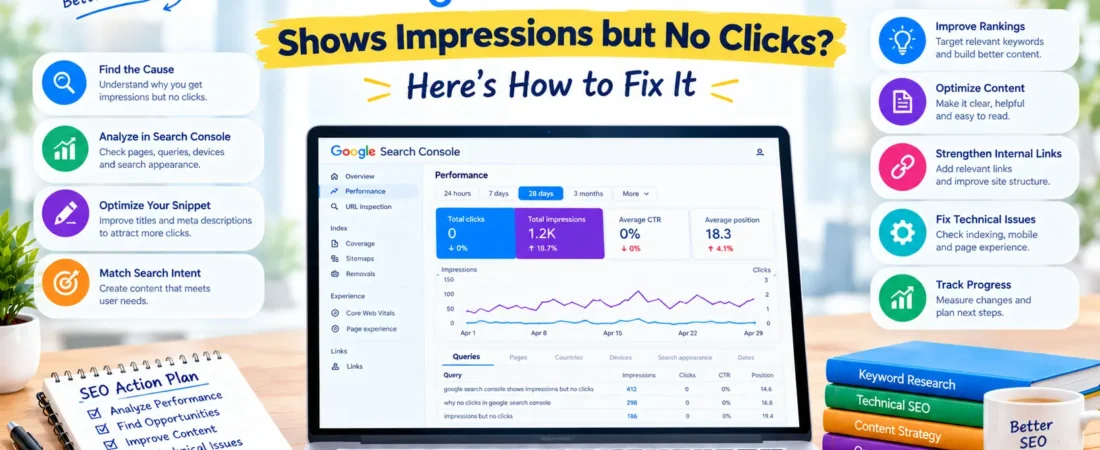
Google Search Console Shows Impressions but No Clicks
Have you ever opened Google Search Console and noticed that your website is receiving impressions but almost no clicks? Your pages are appearing in Google Search results, yet visitors are not clicking through to your website.
This can be frustrating, especially when you have invested time in keyword research, content creation, and SEO optimization.
The good news is that impressions without clicks can reveal valuable SEO opportunities. Your website is already gaining some visibility, but something may be preventing searchers from choosing your result. The reason could be your average ranking position, search intent, title tag, meta description, SERP competition, or the type of search result being displayed.
In this guide, you will learn why Google Search Console shows impressions but no clicks, how to identify the underlying problem, and what you can do to improve your organic click-through rate (CTR).
What Does It Mean When Google Search Console Shows Impressions but No Clicks?
Google Search Console’s Performance report provides information about how your website performs in Google Search.
Two important metrics are impressions and clicks.
Impressions: The number of times a link to your website was shown in Google Search results under Google’s reporting rules.
Clicks: The number of clicks from Google Search results to your website, as recorded by Search Console.
Click-through rate (CTR): The percentage of impressions that resulted in clicks.
Average position: The average position of your highest-ranking result for the reporting data being measured.
For example, imagine that one of your blog posts appears in Google Search results 1,000 times but receives no clicks.
| Metric | Example |
|---|---|
| Impressions | 1,000 |
| Clicks | 0 |
| CTR | 0% |
| Average position | 18 |
In this example, the page is receiving visibility, but its average position is around the second page of traditional search results. Many searchers may never reach it.
However, if the same page has an average position of 3 and still receives no clicks, you should investigate other possible explanations, including the search queries, title, snippet, and search result layout.
Important: Impressions alone do not guarantee that a page is ranking prominently, attracting relevant visitors, or even being seen by users in a way that encourages a click.
1. Why Does Google Search Console Show Impressions but No Clicks?
There is no single explanation for this issue. The right solution depends on how your page appears in search results and which queries generate impressions.
1.1 Your Page Is Ranking Too Low
One of the most common explanations is that your page appears too far down the search results.
A page ranking near the bottom of page one or on page two may accumulate impressions without generating meaningful traffic.
For example, suppose you have published an article targeting the keyword “how to improve website SEO.” Your page may be appearing at an average position of 24. Searchers are more likely to click results they encounter earlier, so your page may receive few or no clicks.
How to fix it:
Review the queries and average positions associated with the page.
Compare your content with pages ranking above yours.
Improve content depth, accuracy, and relevance to the query.
Add useful examples, original insights, and supporting information.
Strengthen relevant internal links from other pages on your website.
Check whether the page targets a realistic keyword for your website’s authority and topical coverage.
Do not focus on position alone. A relevant result in a lower position may still earn clicks, while a higher result can underperform if it does not meet the searcher’s needs.
1.2 Your SEO Title Is Not Compelling
Your title tag helps search engines understand your page and can influence whether a searcher chooses your result.
A title that is vague, generic, overly long, or poorly aligned with the search query may attract fewer clicks.
Consider this example:
Less compelling title: SEO Tips for Websites
More descriptive title: 12 Practical SEO Tips to Improve Your Website’s Visibility
The second title communicates a clearer benefit and tells users what to expect.
These are illustrative examples, not guaranteed CTR improvements.
How to improve your title tag:
Make the page’s primary topic clear.
Match the title to the intent behind your target query.
Communicate a specific benefit when appropriate.
Keep the wording natural and avoid unnecessary repetition.
Make each important page’s title distinctive.
Avoid misleading promises and clickbait.
Google may generate a different title link based on page content and other signals. Updating the title tag does not guarantee that the exact wording will appear in search results.
1.3 Your Meta Description Does Not Encourage Clicks
The meta description is a short summary that Google may use in the search snippet. It can help users understand what a page offers, although Google may generate a different snippet from the page content.
A generic description may not give searchers a reason to choose your page.
For example:
Generic description: Learn more about SEO and digital marketing.
More useful description: Discover practical SEO techniques to improve keyword targeting, fix website issues, and grow relevant organic traffic.
The second description communicates the type of help the reader can expect.
To improve your meta description:
Summarize the page accurately.
Highlight the main benefit of reading it.
Include relevant terms naturally.
Address the searcher’s problem or question.
Avoid repeating keywords unnaturally.
Make sure the description matches the actual content.
Treat the meta description as a concise explanation of the value offered by the page, not as a guaranteed ranking factor.
1.4 Your Content Does Not Match Search Intent
Search intent refers to the reason behind a user’s search.
A searcher might want to learn something, compare options, find a specific website, or complete a transaction. If your page does not satisfy that expectation, it may be less attractive than competing results.
For example, a user searching for “Google Search Console impressions but no clicks” probably wants troubleshooting steps. A broad article about the definition of SEO may not meet that need.
Common search intents include:
| Search intent | What the user wants | Suitable content |
|---|---|---|
| Informational | An answer or explanation | Tutorial, guide, or article |
| Commercial investigation | To compare possible solutions | Comparison, review, or buying guide |
| Transactional | To take an action or purchase | Product, service, or landing page |
| Navigational | To reach a specific website or page | The relevant official or branded destination |
How to fix intent mismatch:
Search your target query in Google.
Review the types of pages currently appearing.
Identify whether searchers expect a tutorial, list, comparison, product page, or another format.
Compare your page’s structure and information with that expectation.
Update your content to answer the query more directly.
The goal is not to copy competitors. It is to understand what users expect and deliver a useful, differentiated answer.
1.5 Your Page Appears for Irrelevant Keywords
Sometimes Google shows your page for queries that are related to only one small part of your content.
For instance, an article about technical SEO may receive impressions for a broad query such as “digital marketing course.” If the article does not meet the needs of someone searching for a course, it may not earn clicks.
To investigate this issue, open the Performance report and review the Queries tab.
Look for queries that are:
Closely related to your page’s main topic.
Relevant but not adequately covered in the content.
Broad or ambiguous compared with your intended audience.
Unrelated to the actual purpose of the page.
If a relevant query represents a useful opportunity, improve the page to answer it. If a query is only loosely related, do not force it into your content simply to capture impressions.
1.6 Your Page Is Competing With Stronger Search Results
Even when your content is relevant, other search results may provide a more attractive or credible answer.
Competing pages might offer a more focused title, fresher information, stronger brand recognition, original research, or a better explanation of the topic.
Review the search results for the queries that generate impressions. Ask yourself:
Does my page answer the question more clearly?
Is the information current and accurate?
Does the title communicate the page’s unique value?
Have I included practical examples or evidence?
Is the content easy to scan and understand?
Does the page demonstrate genuine experience and expertise where appropriate?
Improve the usefulness and presentation of your page rather than adding content merely to make it longer.
1.7 Search Features May Affect Click Behavior
Google Search results can include advertisements, featured snippets, AI Overviews, knowledge panels, videos, images, and other search features.
Depending on the query, these elements may affect how people interact with traditional organic listings.
A user may find an answer directly on the results page, or may prefer another result format. This can reduce the likelihood of a click to your page even when it receives impressions.
What you can do:
Examine the actual search results for your important queries.
Identify which search features appear.
Make your content clear, accurate, and genuinely useful.
Use relevant images, video, structured data, or other content formats when appropriate.
Do not add schema or rewrite content solely to chase a particular search feature.
You cannot control which search features Google displays, but you can improve the usefulness of your page for the audience you want to reach.
1.8 Your Page Is New and Has Limited Search Performance Data
A newly published page may begin receiving impressions before it earns its first click. Its visibility can fluctuate as Google discovers the page and gathers signals about its relevance.
The page may also be appearing for a small number of low-volume queries.
Before making major changes, check:
Whether the page is indexed.
Which queries generate impressions.
Whether the data covers a sufficiently long period.
Whether impressions are increasing, stable, or declining.
Whether the page has enough relevant content to satisfy its intended search queries.
Give the page time to gather meaningful data, but do not ignore clear technical errors or obvious mismatches between the content and search intent.
2. How to Find the Exact Cause in Google Search Console
Rather than guessing why your page receives no clicks, use Search Console to identify which pages and queries are responsible.
Step 1: Open the Performance Report
Sign in to Google Search Console and select the correct website property.
Open Performance → Search results.
The report provides metrics such as total clicks, total impressions, average CTR, and average position. You can also explore queries, pages, countries, devices, and search appearance where applicable.
Select a date range that provides enough data to assess the page. Compare it with a previous period when useful.
Step 2: Find Pages With Impressions but No Clicks
Open the Pages tab in the Performance report.
Review pages that have impressions but no clicks, or very few clicks relative to their impressions.
Prioritize pages that have a meaningful number of impressions and align with your business or content goals.
A page with 15 impressions and zero clicks is not necessarily a problem. A relevant page with thousands of impressions and no clicks deserves closer investigation.
There is no universal impression threshold that determines whether a page needs optimization. Use the available data and the importance of the page to guide your decision.
Step 3: Inspect the Queries for Each Page
Select a page in the report to filter its performance data, then open the Queries tab.
This helps you understand which searches generated the page’s impressions.
Create a simple working table:
| Query | Impressions | Clicks | Average position | Potential action |
|---|---|---|---|---|
| How to use Google Search Console | 800 | 0 | 19 | Improve ranking and content relevance |
| Search Console keyword research | 450 | 0 | 11 | Assess intent and snippet |
| Google Search Console tutorial | 200 | 0 | 6 | Review title and search result competition |
These figures are hypothetical and are provided only to illustrate the analysis.
Look for patterns rather than treating every query separately. If many relevant queries have low positions, content relevance and ranking improvements may be the priority. If queries rank well but still receive no clicks, investigate the snippet and the search results more closely.
Step 4: Compare Desktop and Mobile Performance
Users may interact differently with search results on desktop and mobile devices.
Use the Devices tab to compare impressions, clicks, CTR, and average position where data is available.
If mobile performance is weaker, review the mobile search experience and your page itself.
Check that:
The title communicates the topic clearly.
The page loads reliably.
The main content is readable on small screens.
Important information is easy to find.
Intrusive overlays do not obstruct the experience.
The mobile page presents the same essential content as the desktop page.
Do not assume that a lower mobile CTR is automatically a technical problem. Differences in queries, positions, and search result layouts can also influence the metrics.
Step 5: Check the Search Appearance and Search Type
Where applicable, examine the Search appearance dimension to see how different search result types perform. Also confirm that you are reviewing the intended search type, such as Web, Image, Video, or News.
The available dimensions depend on the report and the data recorded for your property.
Make sure you are comparing like with like. Web search performance and image search performance, for example, may reflect different user behavior.
Step 6: Check Whether the Page Is Indexed
If you suspect an indexing issue, use the URL Inspection tool.
Enter the full URL and review Google’s reported indexing status, canonical information, and any available crawling details.
If the page is not indexed, investigate the reason shown in Search Console. Depending on the issue, you may need to review the noindex directive, canonical tag, robots.txt rules, server response, internal links, or page quality.
Requesting indexing can be useful after correcting a problem, but it does not guarantee that Google will index the page.
3. How to Improve CTR When Impressions Are High but Clicks Are Low
Once you understand the likely cause, choose improvements that address the actual problem.
3.1 Rewrite Titles to Communicate Clear Value
Your title should tell searchers what the page is about and why it may be useful.
For a troubleshooting article, a title such as “Google Search Console Shows Impressions but No Clicks? Here’s How to Fix It” communicates both the problem and the intended solution.
Avoid:
Vague titles that do not explain the topic.
Repetitive keyword stuffing.
Misleading claims.
Repeated titles across important pages.
Unnecessary wording that obscures the main topic.
After making a change, record the date so you can compare performance later.
3.2 Write More Helpful Meta Descriptions
A useful description explains the problem your page solves and the value readers can expect.
For example:
“Google Search Console shows impressions but no clicks? Discover the causes and learn how to improve rankings, titles, meta descriptions, and CTR.”
The description should accurately reflect the content. Google may use it, shorten it, or generate a different snippet from the page.
3.3 Improve Content Relevance and Coverage
If your page receives impressions for relevant queries but does not provide a satisfactory answer, improve the actual content.
You can:
Answer the main question early in the article.
Add missing steps or practical examples.
Explain related concepts that readers need to understand.
Include tables or checklists when they make information easier to use.
Update outdated instructions.
Remove repetitive or irrelevant sections.
Add credible sources where factual support is needed.
Do not expand an article simply to reach a particular word count. Focus on making it more useful than the existing version.
3.4 Strengthen Internal Linking
Internal links help users and search engines discover related pages on your website.
Link to the page from relevant articles using descriptive anchor text. Also link from the page to other useful resources when doing so helps the reader.
For example, an article about Google Search Console could link to related guides about keyword research, technical SEO audits, organic traffic, and SEO content optimization.
Avoid adding irrelevant links or repeating exact-match anchor text unnaturally.
3.5 Refresh Outdated Information
If your page contains old screenshots, obsolete instructions, or inaccurate descriptions of Search Console features, update them.
Check that:
The report names and navigation match the current interface.
The screenshots show relevant information.
Recommendations are still appropriate.
Links to official documentation work.
Examples are clearly identified as illustrative where necessary.
Update the displayed publication or modification date only when appropriate, and keep your structured data dates consistent with the actual page history.
3.6 Improve the Page Experience
A page that is difficult to read or use may fail to convert visitors even when its search snippet earns a click.
Review the mobile experience, loading performance, layout stability, readability, and navigation.
Core Web Vitals can help you evaluate aspects of loading, responsiveness, and visual stability. However, improving these metrics alone will not guarantee more clicks from search results. The relevance of the search result and its presentation remain important.
4. Should You Change Every Page With Zero Clicks?
No. Not every page with impressions and no clicks needs immediate optimization.
A page may have very few impressions, rank for an extremely specific query, or appear for a search that does not match its intended audience. Its performance data may also be too limited to support a reliable conclusion.
Use this prioritization framework:
| Situation | Recommended action |
|---|---|
| High impressions, low average position | Improve relevance, content quality, and ranking opportunities |
| High impressions, strong position, low CTR | Review the query, title, snippet, and search result layout |
| Low impressions, zero clicks | Gather more data unless a clear issue exists |
| Irrelevant queries generate impressions | Reassess content focus and topical clarity |
| Page is not indexed | Investigate indexing and technical issues |
| CTR is declining over time | Compare queries, positions, devices, and search features |
| Page attracts clicks but does not engage visitors | Review content usefulness and the landing-page experience |
These are diagnostic starting points, not rigid rules. The correct response depends on the page, its intended audience, and the available evidence.
5. How to Measure Whether Your Changes Work
SEO improvements should be measured rather than judged by impressions alone.
Before making changes, record the page’s clicks, impressions, CTR, average position, and important queries. Note the date and exactly what you changed.
After the change, review a comparable date range. Allow sufficient time for Google to recrawl the page and for meaningful performance data to accumulate.
Use the following formula to calculate CTR:
CTR = (Clicks ÷ Impressions) × 100
For example, if a page receives 40 clicks from 2,000 impressions:
CTR = (40 ÷ 2,000) × 100 = 2%
Compare CTR alongside average position and query mix. A CTR increase may reflect improved snippet performance, but it can also result from ranking changes or a different set of searches.
Similarly, an increase in impressions without clicks may mean the page is appearing for more queries without reaching a prominent position.
Where possible, evaluate several weeks of comparable data rather than drawing conclusions from a single day. Seasonality, competition, algorithm changes, and changes in demand can affect results.
6. Common Mistakes to Avoid
When trying to solve the impressions-without-clicks problem, avoid these common SEO mistakes:
Changing titles too frequently: Repeated changes make it harder to understand which updates helped. Make a considered change, record it, and evaluate the results.
Adding keywords unnaturally: Repeating a keyword in every heading or sentence does not make the page more useful.
Assuming the meta description controls rankings: A description can influence how a result is presented, but it is not a direct ranking boost simply because it contains a target keyword.
Ignoring average position: CTR should be interpreted alongside position and query intent.
Treating every impression as a potential click: Not every searcher will see or choose your result.
Requesting indexing without fixing the problem: A request does not resolve technical errors or guarantee indexing.
Making several changes at once: When practical, prioritize and document changes so you can better understand their effects.
Expecting immediate results: Search performance can fluctuate, and changes may take time to be reflected in the data.
7. A Practical 7-Day Action Plan
If your Search Console report shows impressions but no clicks, use this simple plan to begin your investigation.
| Day | Activity | Expected output |
|---|---|---|
| Day 1 | Review the Performance report and identify priority pages | Shortlist of affected URLs |
| Day 2 | Analyze queries, impressions, clicks, CTR, and position | Likely causes identified |
| Day 3 | Review search intent and competing results | Content and snippet opportunities |
| Day 4 | Improve relevant title tags and meta descriptions | Updated search snippets where Google uses them |
| Day 5 | Improve content relevance and internal links | More useful, better-connected content |
| Day 6 | Check indexing, canonical tags, mobile experience, and technical issues | Technical issues documented and addressed |
| Day 7 | Record changes and establish a monitoring schedule | Baseline for future comparisons |
This is an initial action plan, not a promise of results within seven days. Continue monitoring performance and refine your approach using the data.
Frequently Asked Questions
1. Why does Google Search Console show impressions but no clicks?
Your page may rank too low, target irrelevant or mismatched queries, have an unappealing search snippet, or compete with search features that affect click behavior. Review the Performance report by page and query to identify the likely reason.
2. Is it normal to have impressions but zero clicks?
Yes. This can happen when a page is new, receives few impressions, or ranks for queries that do not generate clicks. It deserves closer attention when a relevant page accumulates substantial impressions without attracting visitors.
3. How do I improve CTR in Google Search Console?
Review the queries and average positions associated with the page. Improve title clarity, write accurate and useful meta descriptions, align content with search intent, and examine the actual search results. Measure changes over comparable periods.
4. Does a meta description affect Google rankings?
A meta description is not a direct ranking boost simply because it includes keywords. It can help communicate the page’s value when Google uses it as the search snippet, potentially influencing a searcher’s decision to click.
5. How long does it take to see results after changing a title tag?
There is no fixed timeframe. Google must recrawl and process the page, and search performance may fluctuate. Monitor the page over a suitable period rather than expecting an immediate or guaranteed improvement.
6. Can a page have a good ranking but zero clicks?
Yes. Search Console’s average position is an aggregate metric, not a guarantee that a result appeared prominently for every query. Search intent, query mix, result layout, and how the snippet communicates value can all influence clicks.
7. Should I delete a page that receives impressions but no clicks?
Not automatically. First assess whether the page serves a useful purpose, matches search intent, and offers value to visitors. Improve it when appropriate. Consider consolidation or removal only after evaluating its quality, relevance, backlinks, internal links, and role within the website.
8. Does requesting indexing increase clicks?
No. Requesting indexing does not directly increase clicks and does not guarantee indexing. It can help request a fresh crawl after an eligible page has been corrected or updated, but the page still needs to be relevant and competitive to earn traffic.
Conclusion
When Google Search Console shows impressions but no clicks, the most effective response is to investigate the data before making changes.
Start with the Performance report, identify which pages and queries are responsible, and assess average position, search intent, title tags, descriptions, and the search results themselves. Then prioritize improvements based on the evidence.
Remember that impressions show visibility, but clicks depend on whether your search result meets the user’s needs and earns their attention.
Use Google Search Console as a diagnostic tool, make thoughtful SEO improvements, and measure the results over time. With a consistent, data-driven approach, you can identify better opportunities to turn search visibility into relevant organic traffic.
About the author: Harish Mandokar is a digital marketing and SEO professional who shares practical insights, tutorials, and strategies to help website owners improve their online visibility and organic search performance. Explore more SEO guides at HarishMandokar.com.